


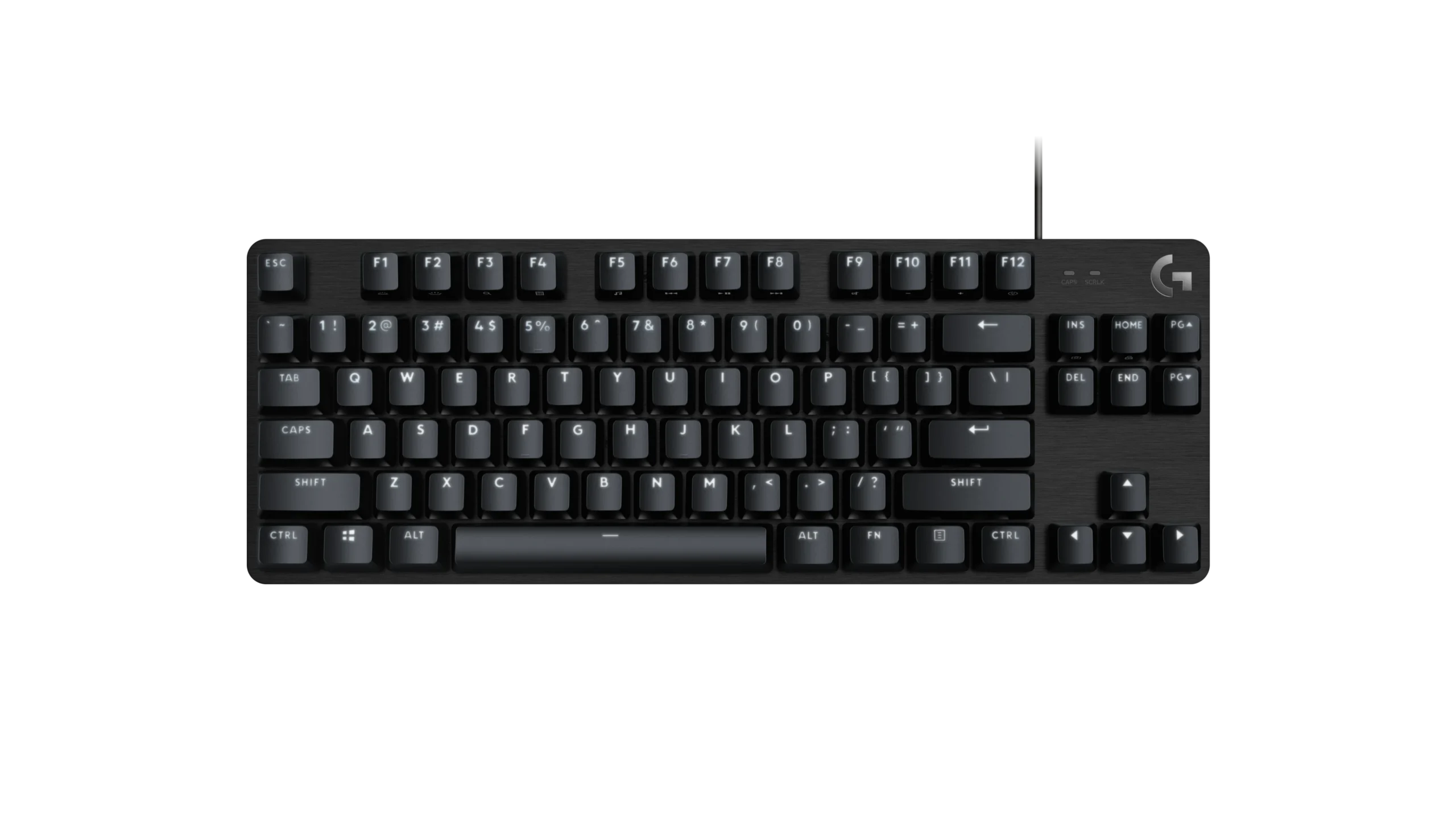
Mechanical keyboards have become increasingly popular among gamers, programmers, and productivity enthusiasts. With several layouts available, two of the most commonly discussed options are the Tenkeyless (TKL) keyboard and the 60% keyboard. Understanding the differences between these layouts can help you choose the one that best suits your needs. In this article, we’ll explore tkl keyboard vs 60% Keyboard: Key Differences Explained so you can make an informed decision.
What Is a TKL Keyboard?
A Tenkeyless (TKL) keyboard is essentially a full-size keyboard without the numeric keypad on the right side. This layout typically includes around 87 keys and retains important keys such as function keys, arrow keys, and navigation keys.
Key Features of TKL Keyboards
- Dedicated arrow keys and function row
- Navigation keys like Home, End, Page Up, and Page Down
- More compact than a full-size keyboard
- Comfortable layout for gaming and productivity
TKL keyboards are popular among gamers and professionals who want a balance between functionality and desk space.
What Is a 60% Keyboard?
A 60% keyboard is a much smaller layout that removes the function row, navigation keys, and arrow keys. It usually includes around 61 keys and relies on key combinations (function layers) to access missing functions.
Key Features of 60% Keyboards
- Extremely compact design
- Minimalist layout
- Uses function layers for additional commands
- Highly portable and space-saving
This keyboard style is favored by minimalists, travelers, and users who want the smallest possible setup.
TKL Keyboard vs 60% Keyboard: Key Differences Explained
When comparing TKL Keyboard vs 60% Keyboard: Key Differences Explained, several factors make these layouts different from each other.
1. Size and Desk Space
A 60% keyboard is significantly smaller than a TKL keyboard. By removing more keys, it frees up more desk space, which can be useful for gamers who want more room for mouse movement.
However, TKL keyboards still save space compared to full-size keyboards while maintaining more functionality.
2. Key Availability
One of the biggest differences in TKL Keyboard vs 60% Keyboard: Key Differences Explained is the number of dedicated keys.
- TKL Keyboard: Includes arrow keys, function keys, and navigation keys.
- 60% Keyboard: Removes many of these keys and replaces them with function-layer shortcuts.
If you frequently use arrow keys or function keys, a TKL keyboard may feel more comfortable.
3. Learning Curve
A TKL keyboard has almost the same layout as a standard keyboard, making it easy to transition from a full-size keyboard.
A 60% keyboard requires learning key combinations to access certain commands, which may take time for new users to adapt.
4. Portability
If portability is your priority, a 60% keyboard clearly wins. Its small size makes it easy to carry in a backpack or laptop bag.
TKL keyboards are still relatively compact but are slightly larger and heavier.
5. Use Cases
When discussing TKL Keyboard vs 60% Keyboard: Key Differences Explained, the intended use plays a big role.
- TKL Keyboards: Great for gaming, office work, programming, and multitasking.
- 60% Keyboards: Ideal for minimal setups, travel, and users who prefer a clean desk.
Which Keyboard Should You Choose?
Choosing between these two layouts depends on your personal preferences and daily tasks.
- Choose a TKL keyboard if: you want a compact keyboard but still need dedicated function keys and arrow keys.
- Choose a 60% keyboard if: you prefer a minimalist setup and are comfortable using key combinations.
Understanding TKL Keyboard vs 60% Keyboard: Key Differences Explained can help you select the layout that fits your workflow, gaming style, and desk setup.
Conclusion
Both TKL and 60% keyboards offer unique advantages depending on how you plan to use them. A TKL keyboard provides a balanced layout with essential keys intact, while a 60% keyboard focuses on minimalism and portability. By understanding TKL Keyboard vs 60% Keyboard: Key Differences Explained, you can confidently choose the keyboard that enhances your productivity, gaming performance, and overall typing experience.
